Rating and review a book
Create rating and review
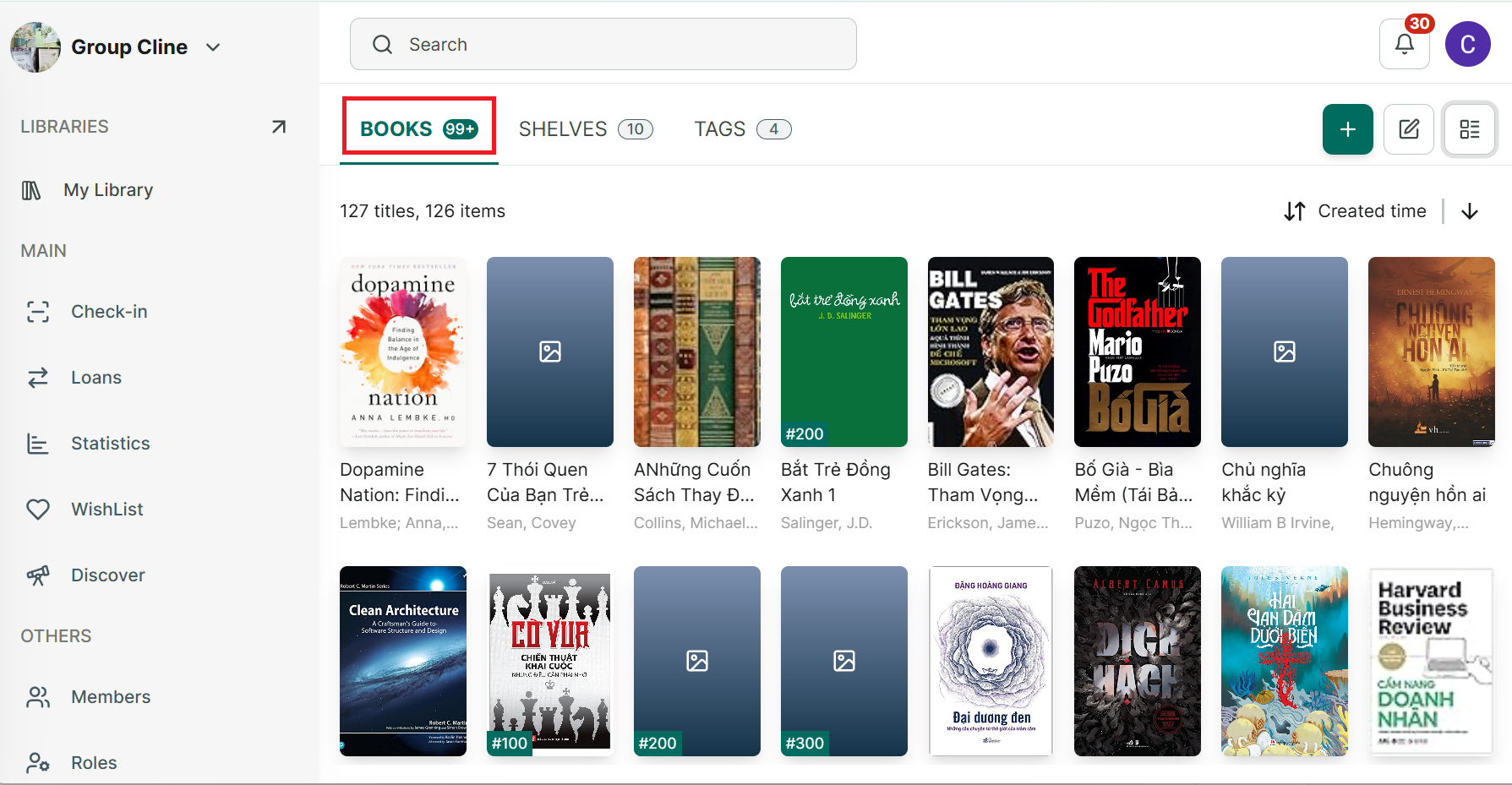
Step 1: Go to the Books tab and open a book.
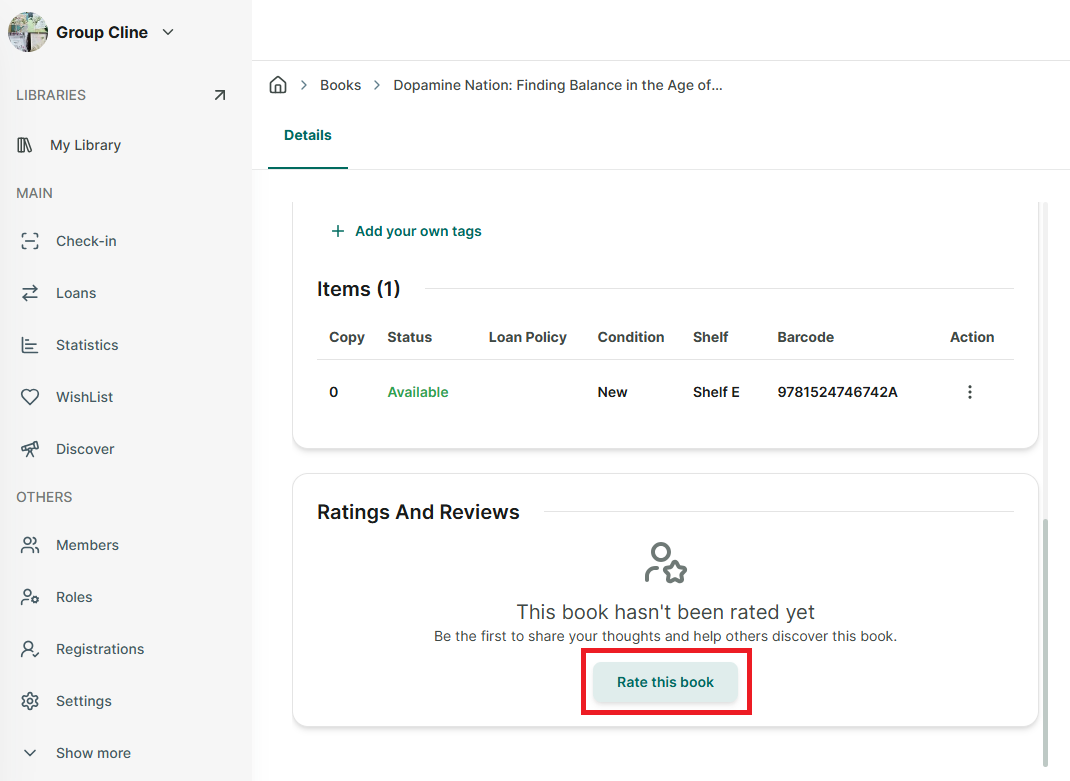
Step 2: Scroll down to the Ratings & Reviews section.
Step 3: Tap “Rate this book.”
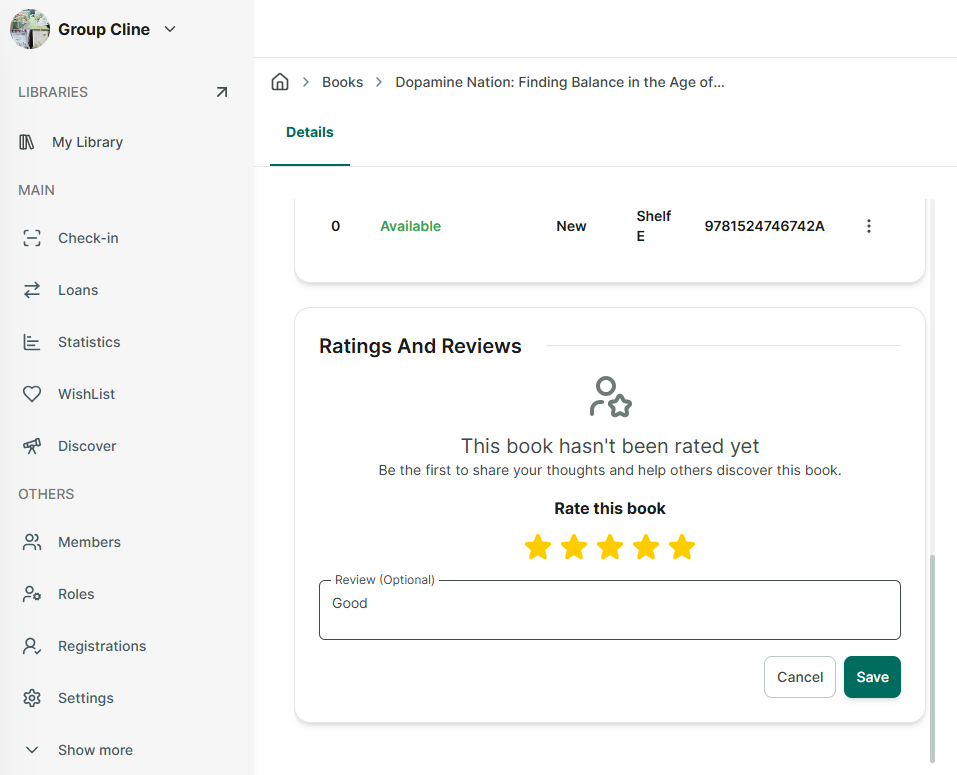
Step 4: Enter your review, select a star rating, and tap “Save.”
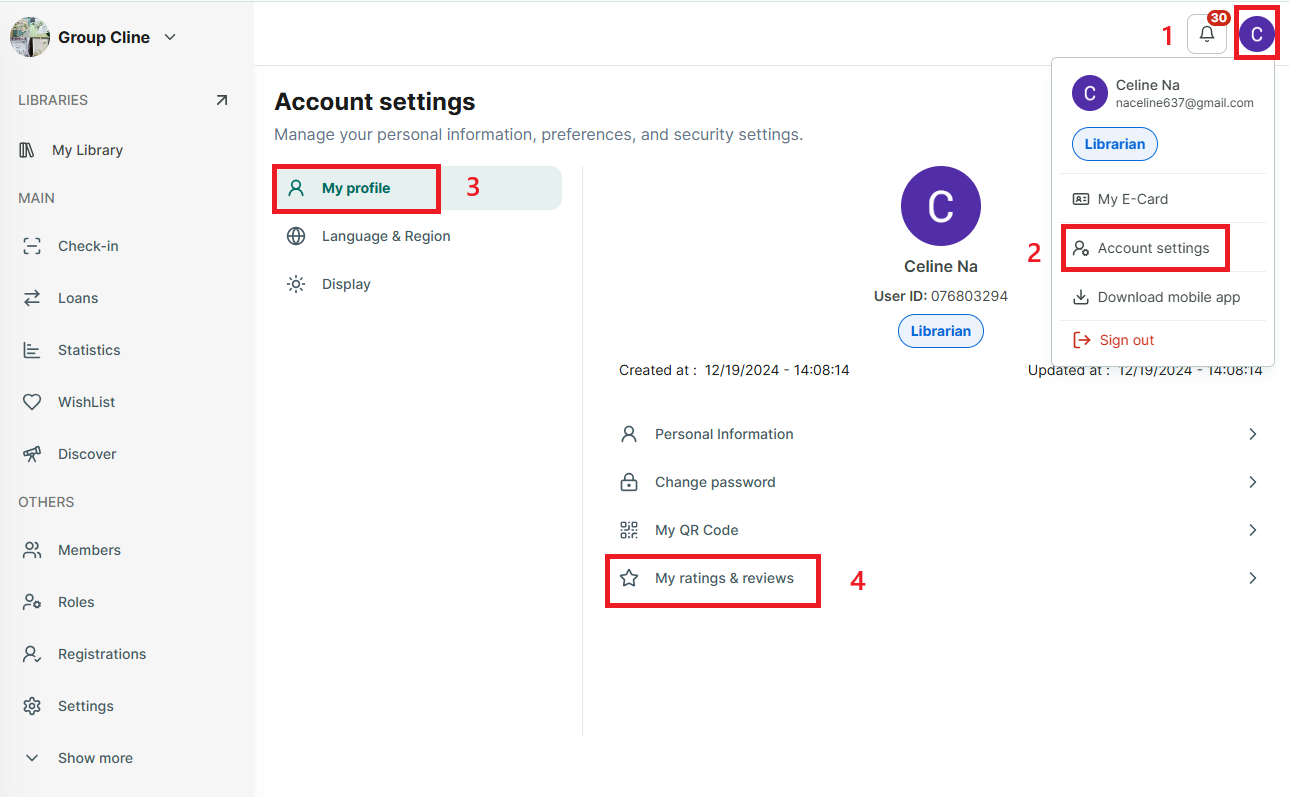
Step 5: You can view your reviews and ratings in “Account setting” → “My Profile” → “View your profile.”
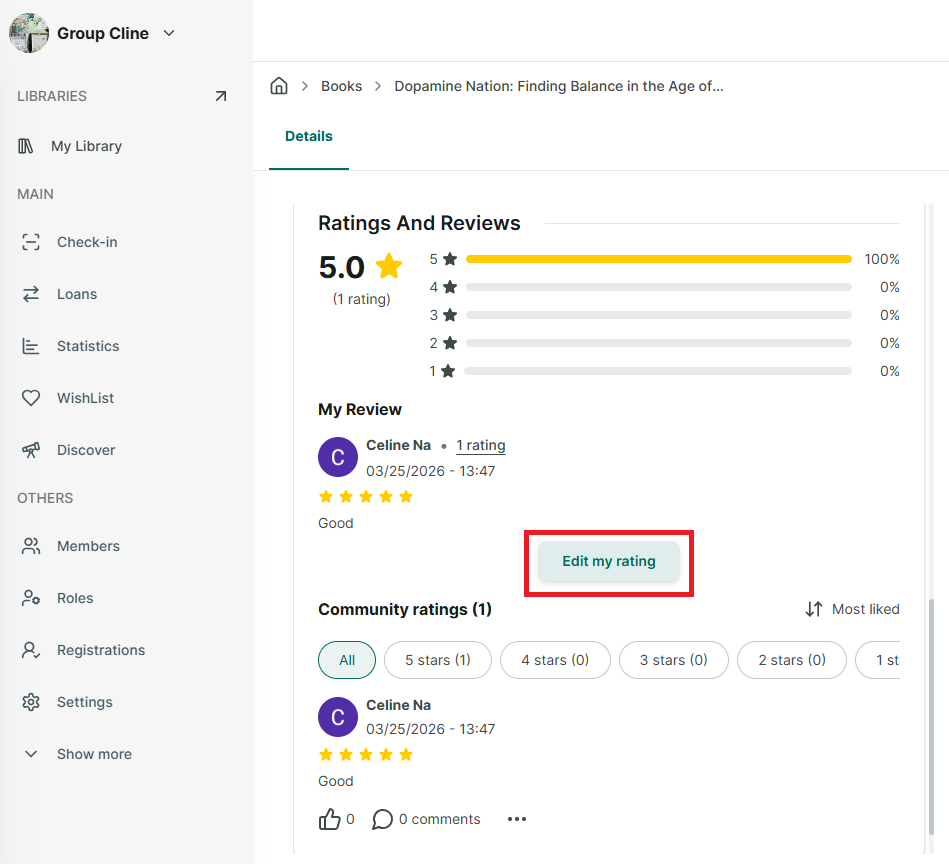
Edit rating and review
Step 6: Bấm vào cuốn sách trước đó bạn đã đánh giá
Step 7: Tại phần rating and review bấm vào nút Edit my raing
Step 8: You can edit ranting and review → Save