
View and edit deleted library
Step 1: Tap on “Libraries” at the left side
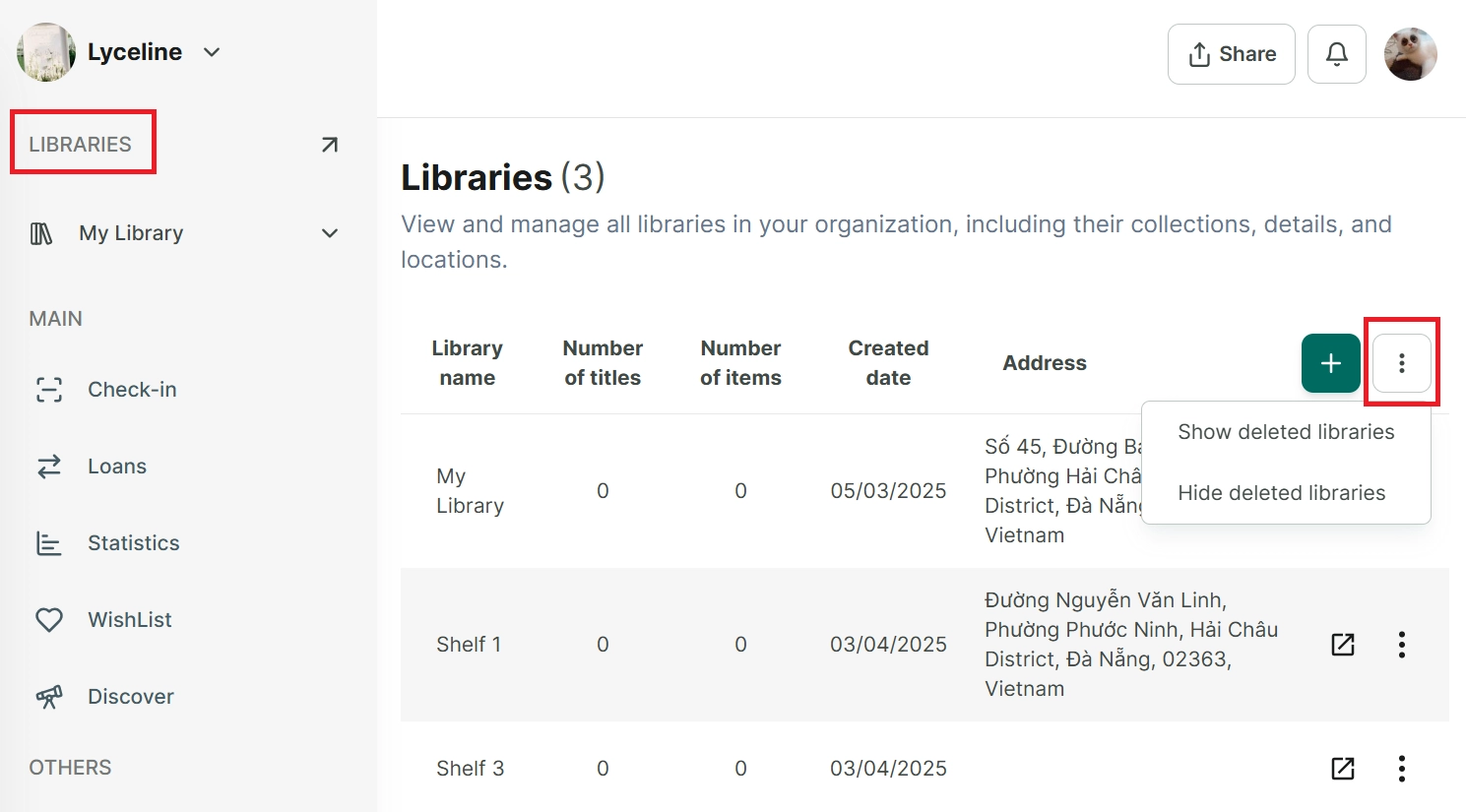
Step 2: Tap on the three-line icon next to the “Add new library” button
- Show deleted libraries
- Hide deleted libraries
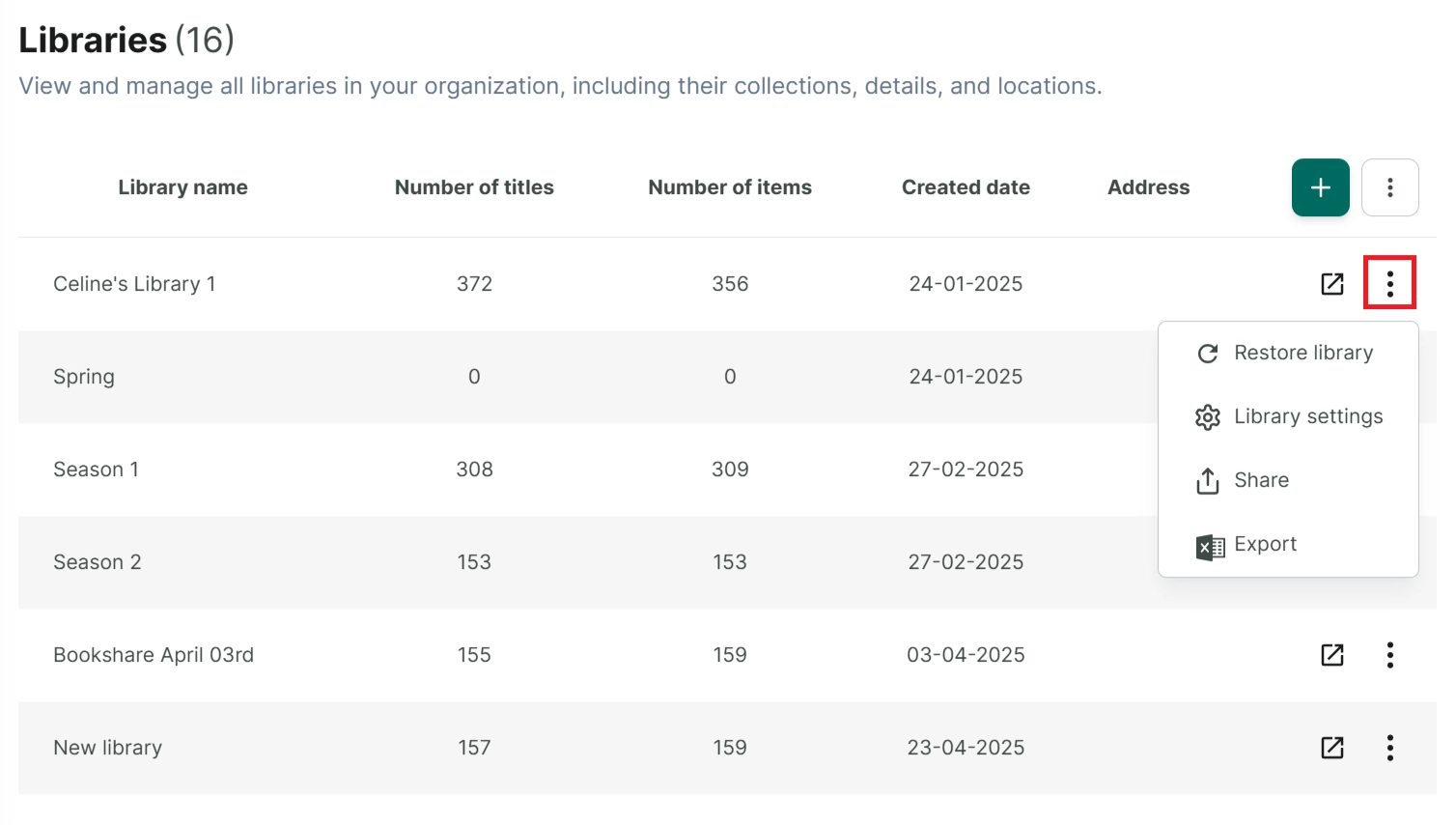
Step 3: Tap on “Show deleted libraries” → The deleted libraries is displayed.
You can try other options such as:
- Restore Library