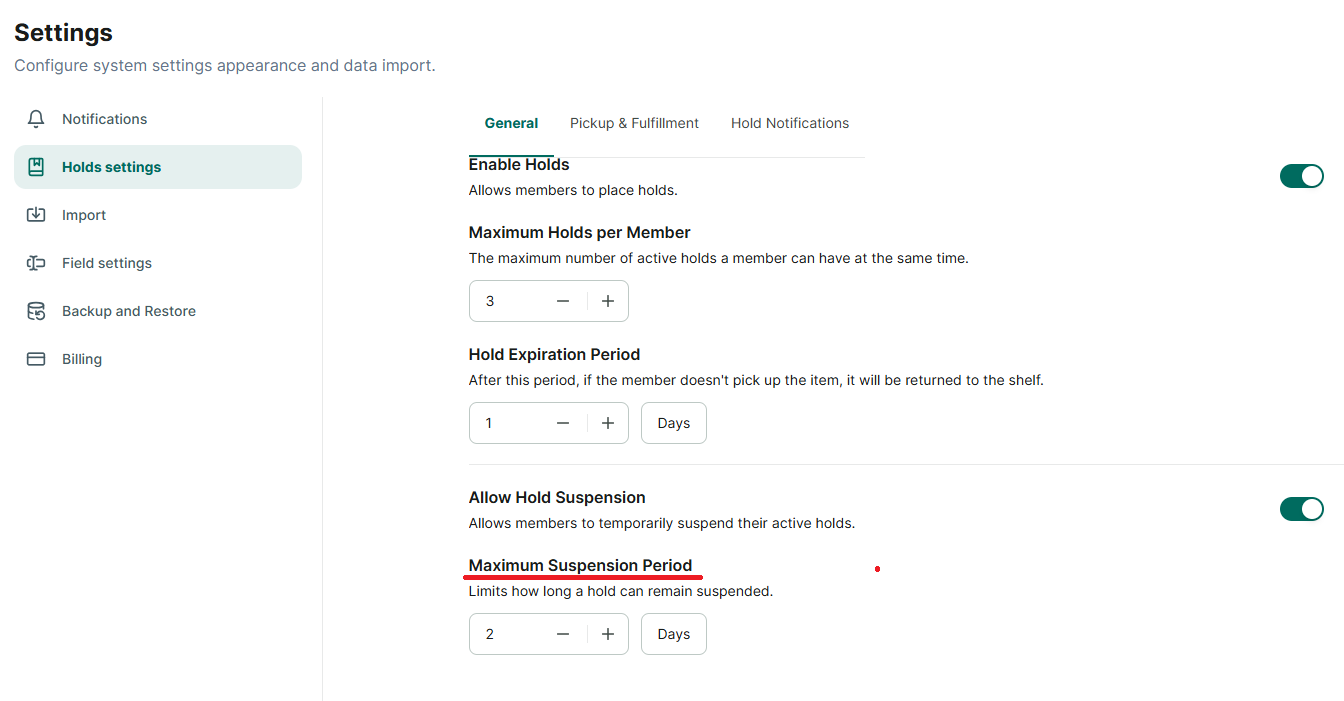
Suspend a hold
The librarian sets a member’s hold pause time – the hold is in the “Pending” status
Step 1: Click on the hold that is in the “Pending” status.
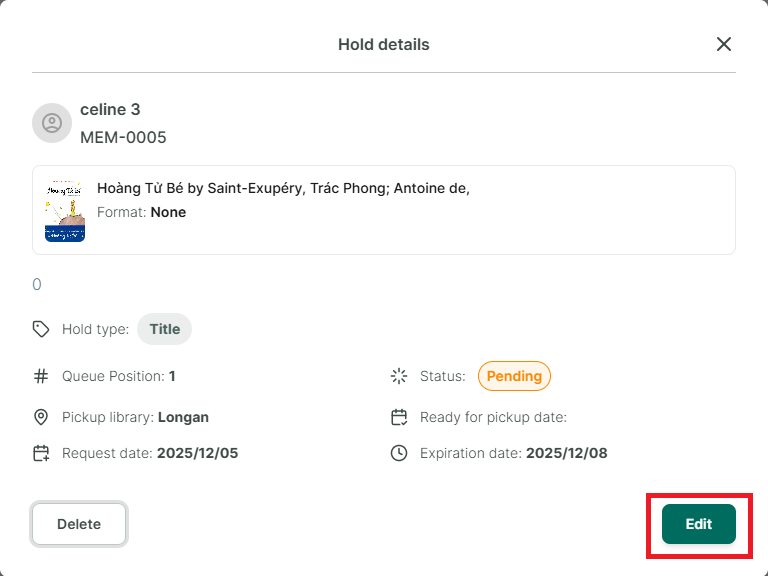
Step 2: Click the “Edit” button on the “Hold Details” screen.
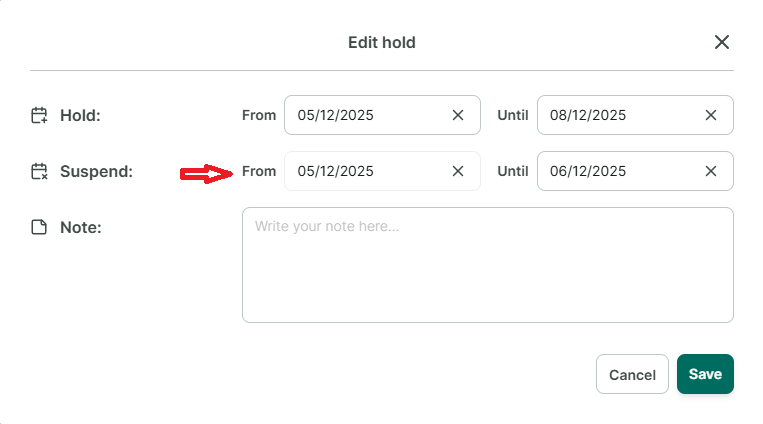
Step 3: Select the suspend duration and click Save.