Lost/Damaged Book After Member Places Hold
Step 1: A book is on hold in the “Active” status and is on the “Pull List.”
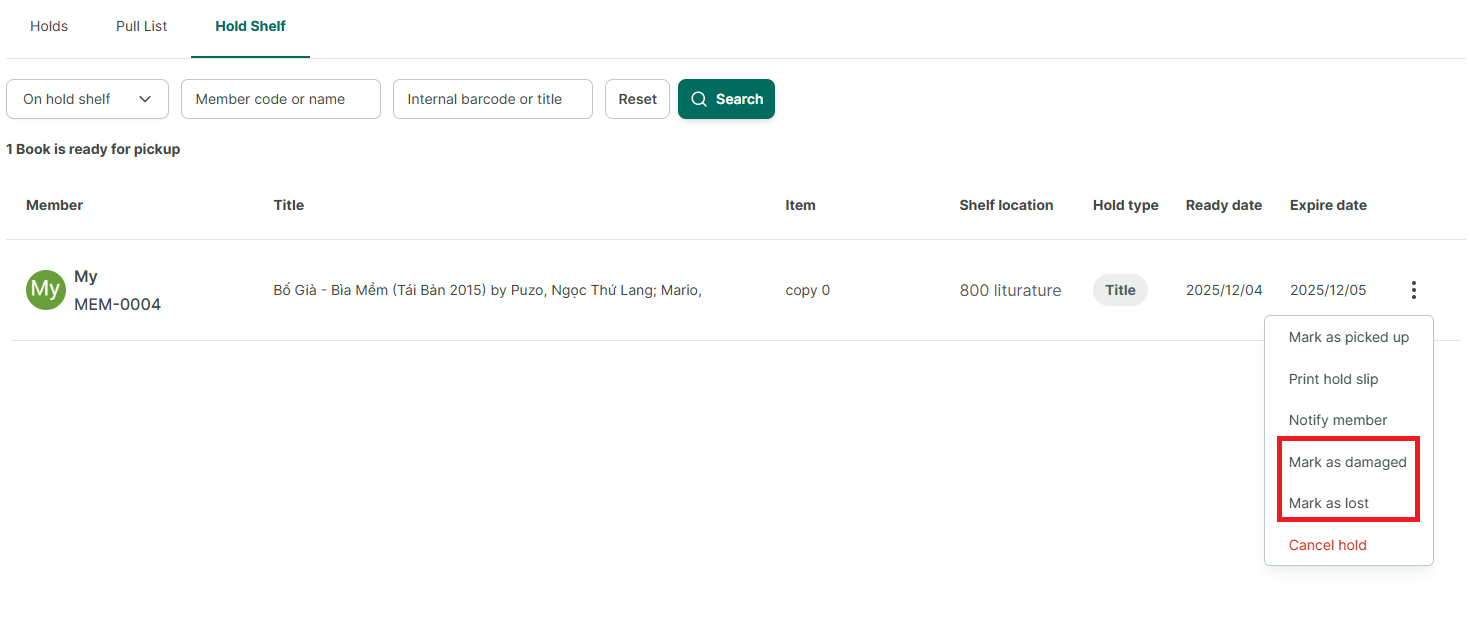
OR a book is on hold in the “Held” status and is on the “Hold Shelf.”
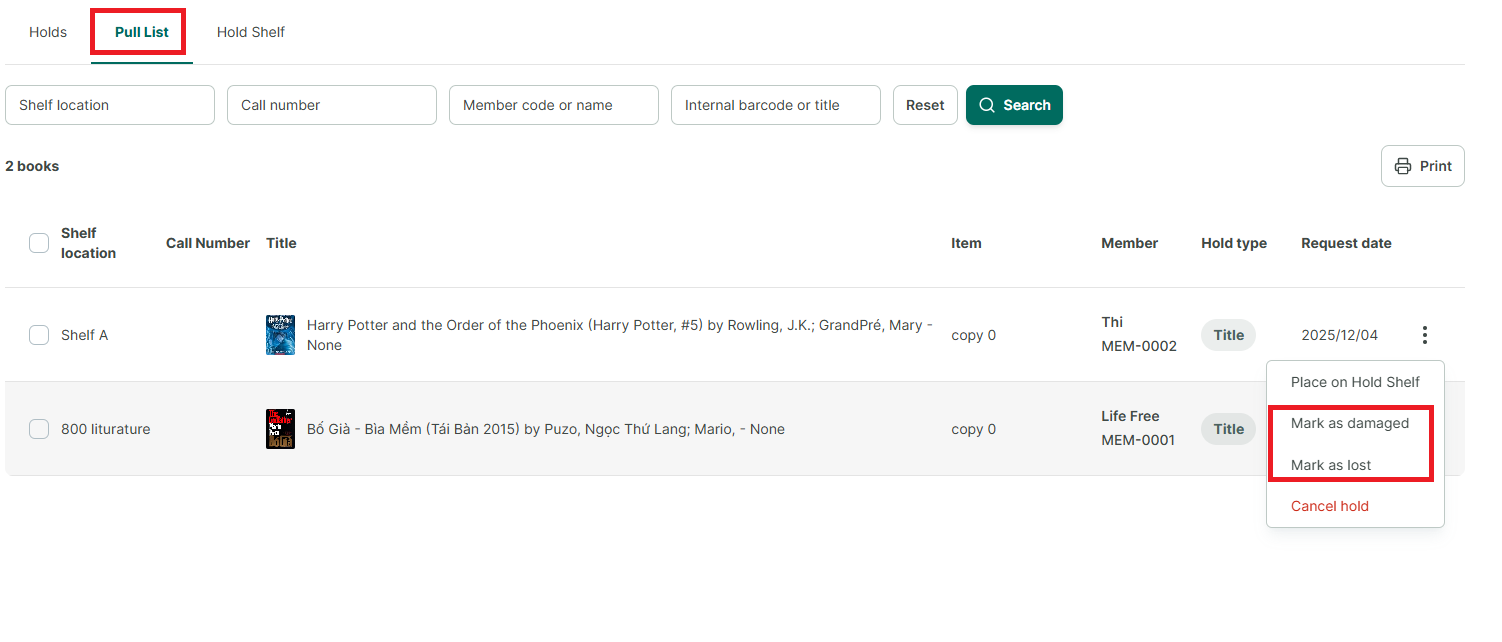
Step 2: However, upon inspection, the book is either lost or damaged and cannot be used for the hold. Mark the book as Lost/Damaged in the “Pickup List” section:
• Click the three-dot icon select “Mark as Damaged” or “Mark as Lost.”
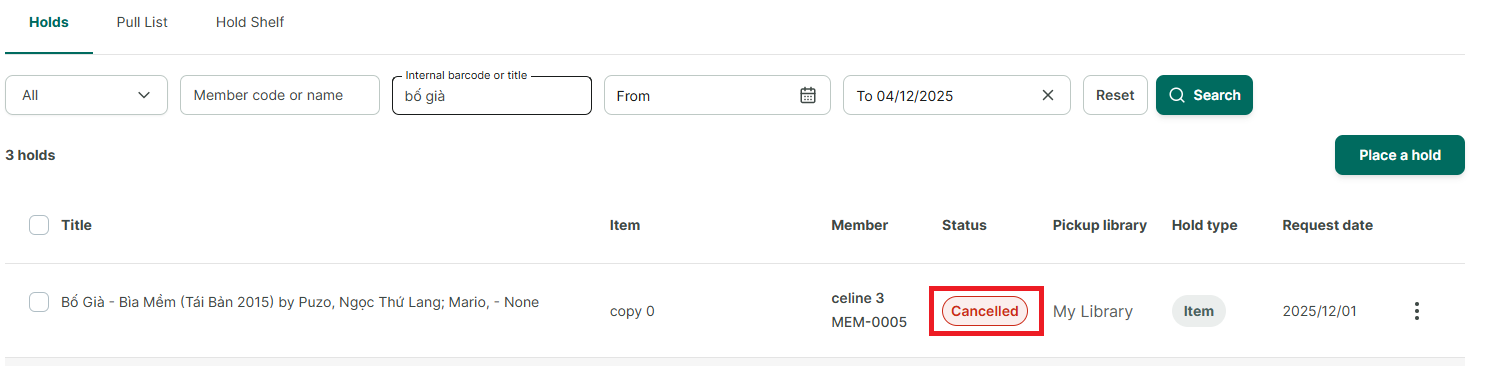
Step 3: After being marked as lost/damaged, the hold will automatically be canceled, changing the status from “Active” to “Canceled.”
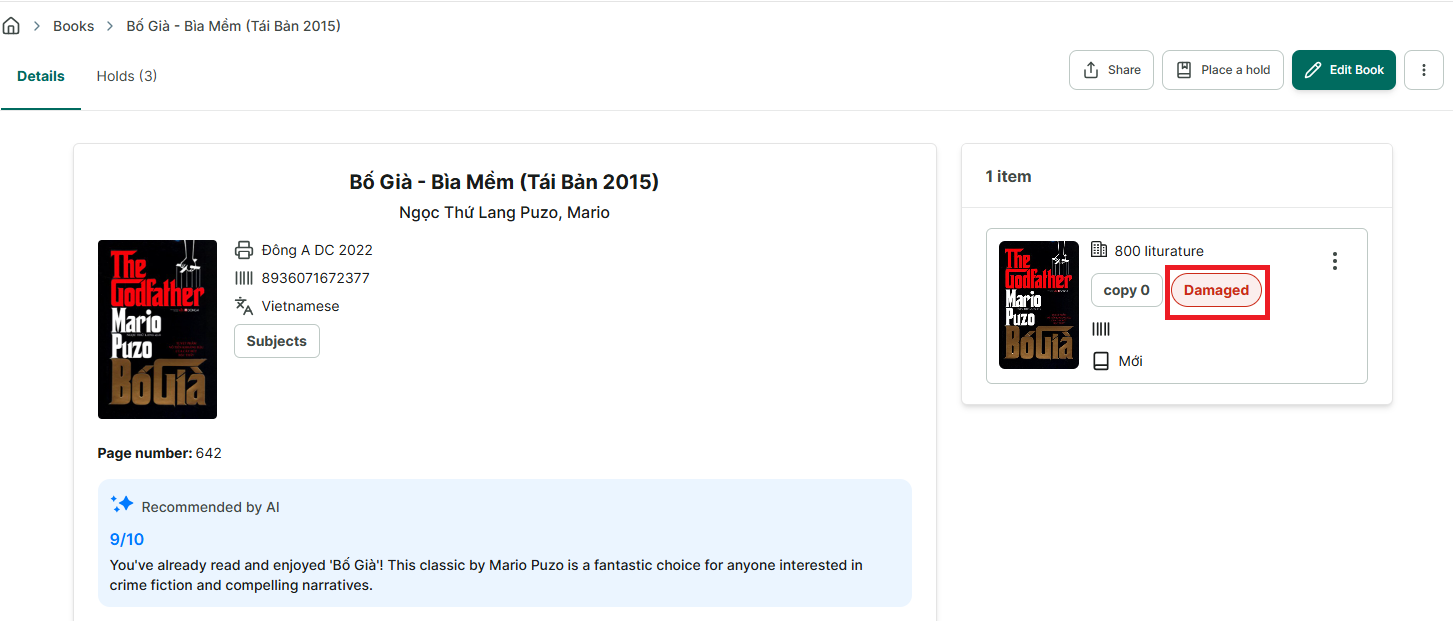
Step 4: The status of the book in the book details section will also be marked as Lost or Damaged.