Skip to content

Change theme

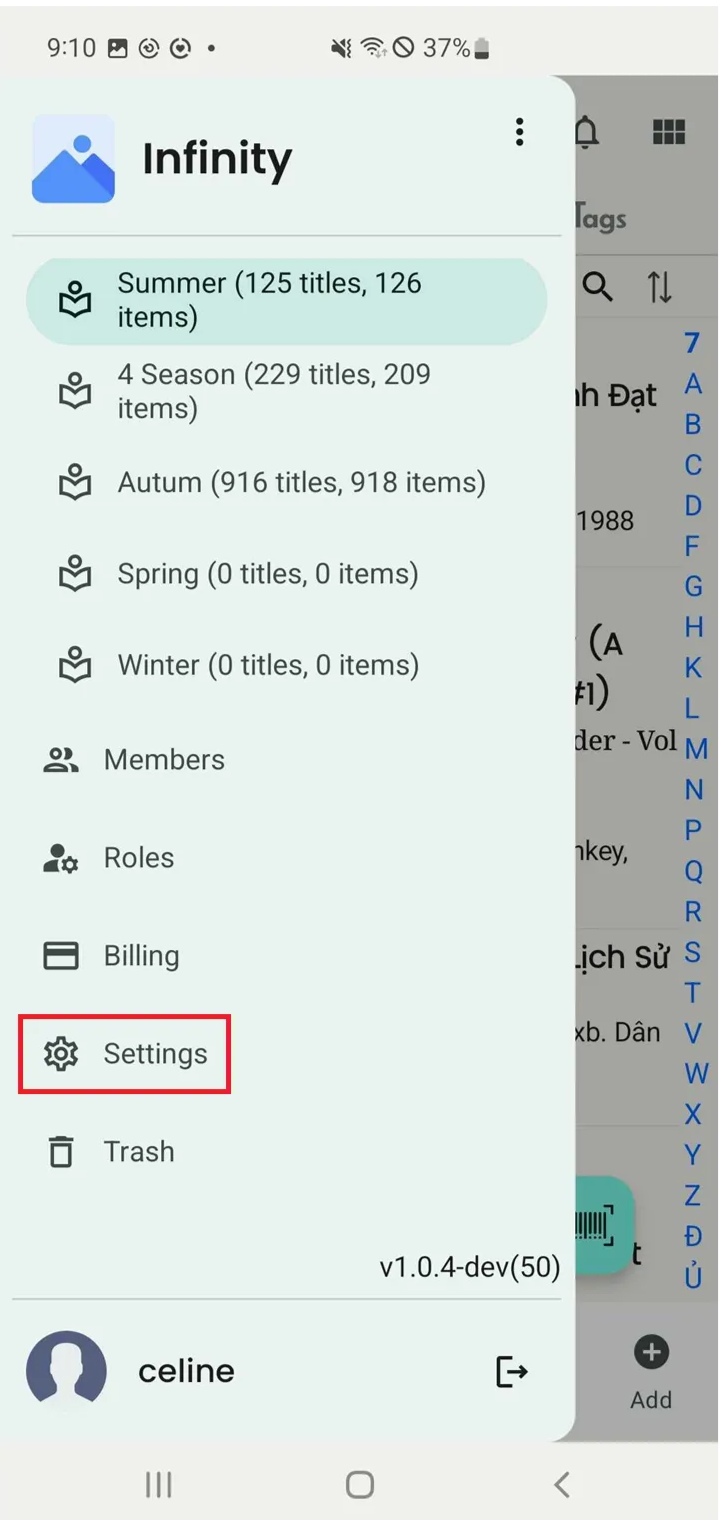
Step 1: Tap on the three-line menu icon and Tap on Settings

ba9a84fb-e079-4b35-b380-dd90ff014e6e.png

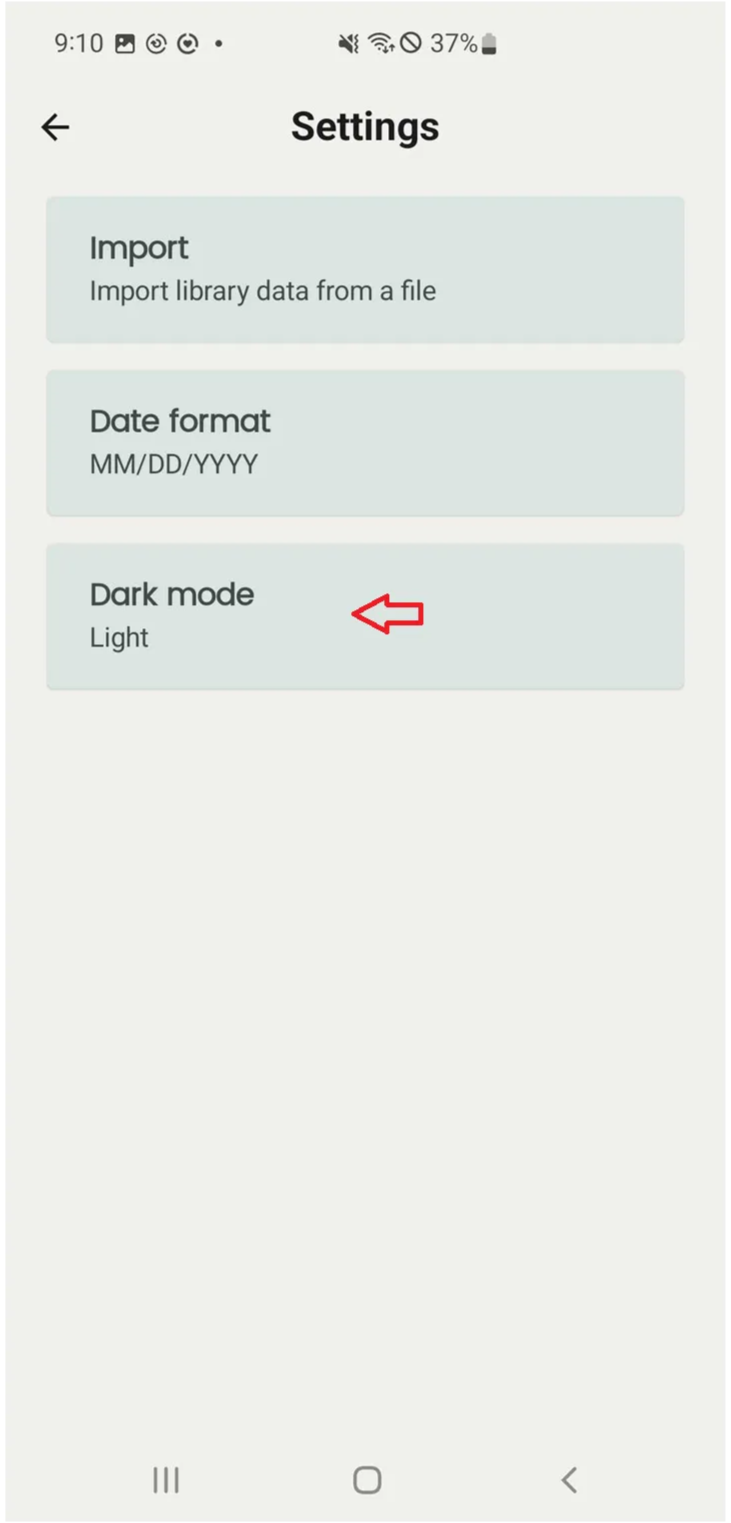
Step 2: Select “Dark mode”

6d17528e-6e01-440e-8ebf-a8f7ab7ddc20.png

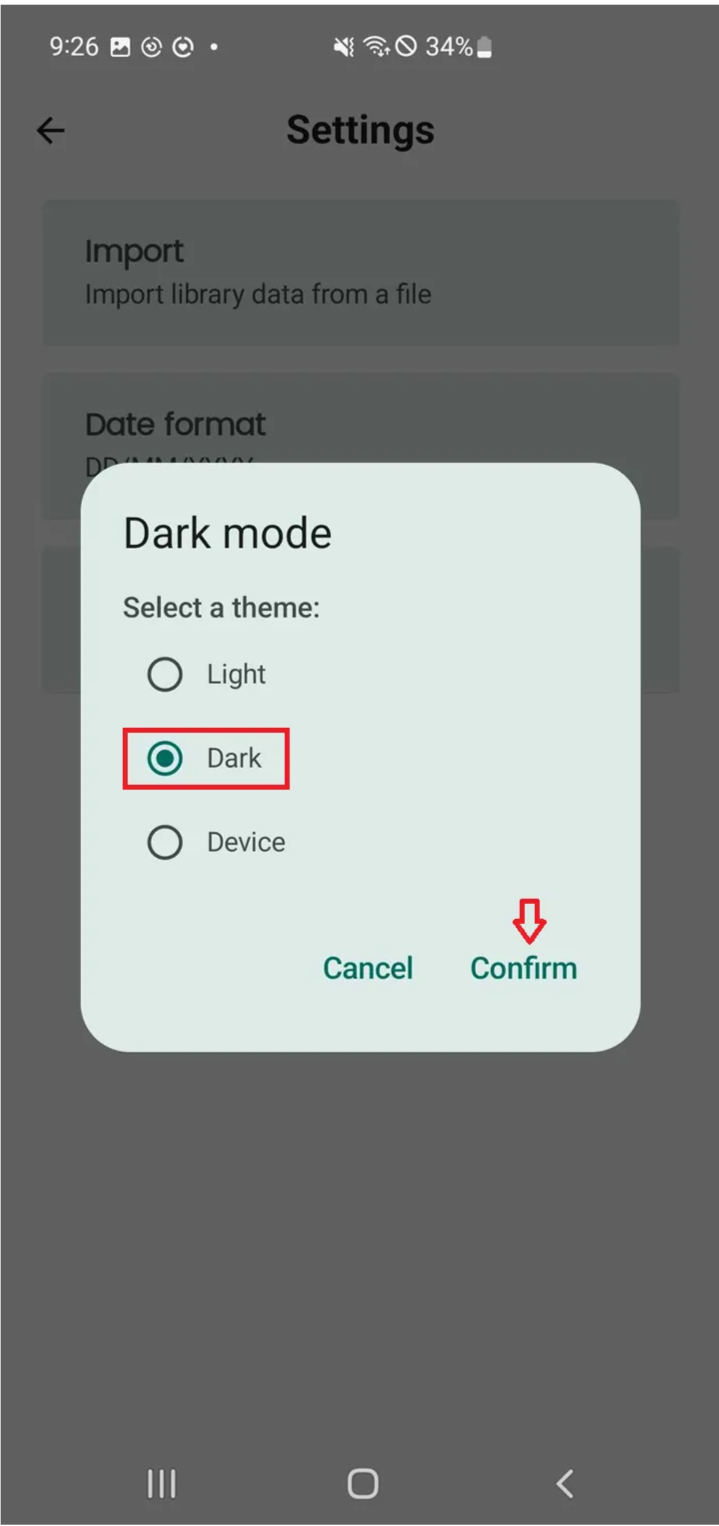
Step 3: Tap “Confirm” if you want to choose this theme. The theme will be changed.

3b9d5ff6-27e4-4268-9313-5b8987b99ac6.png