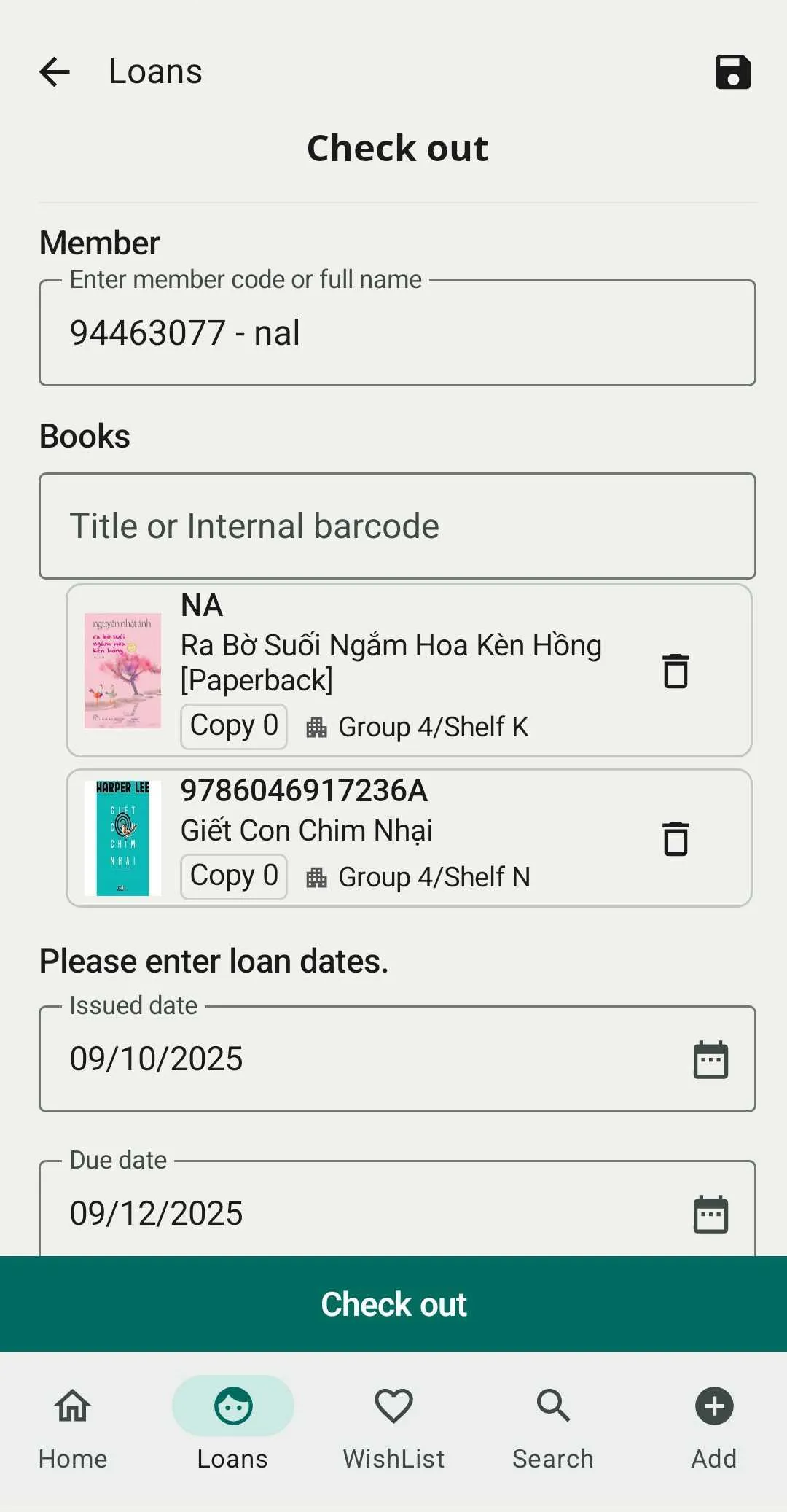
Create a loan
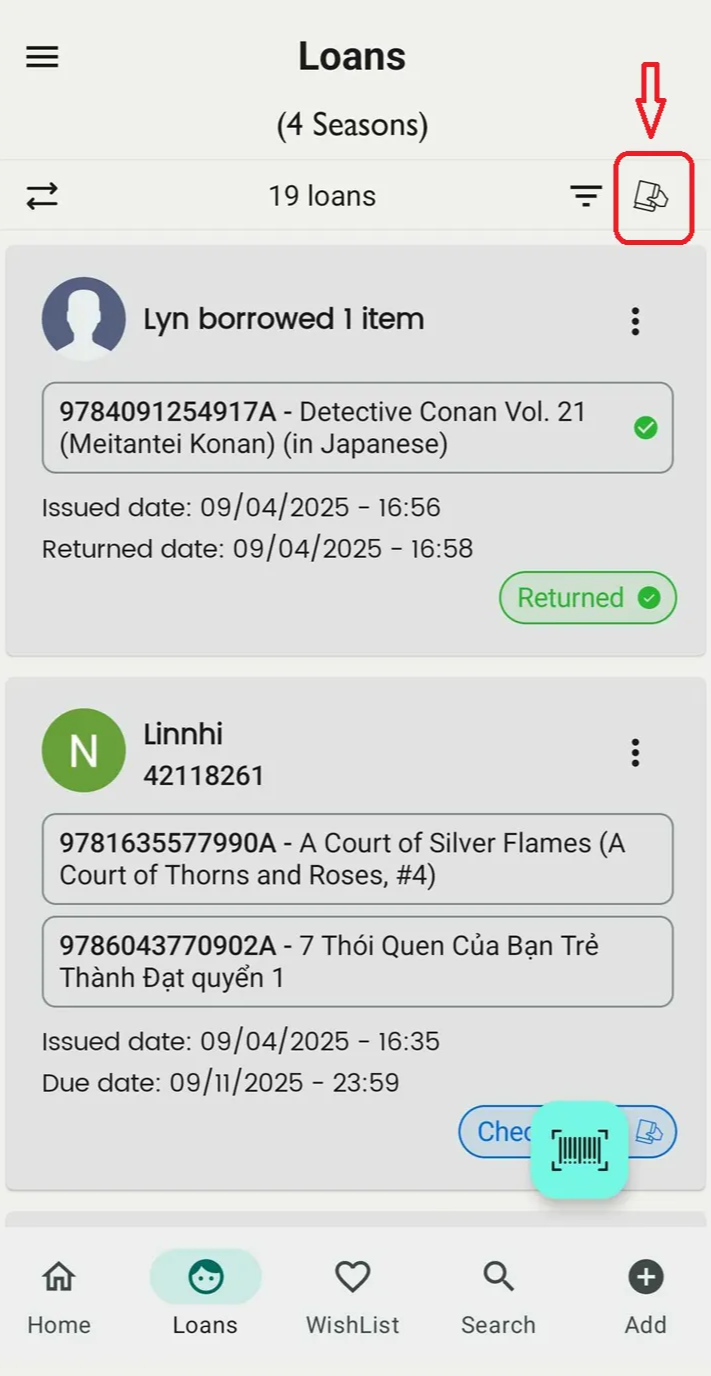
Step 1: Select a shelf and open the Loans section.
Step 2: Tap the holding book icon.
Step 3: Choose a member by entering their name or member code, and select a book by entering the title or internal barcode (you can enter more than one book).
Step 4: Add a due date and note if needed.
Tap Check out.