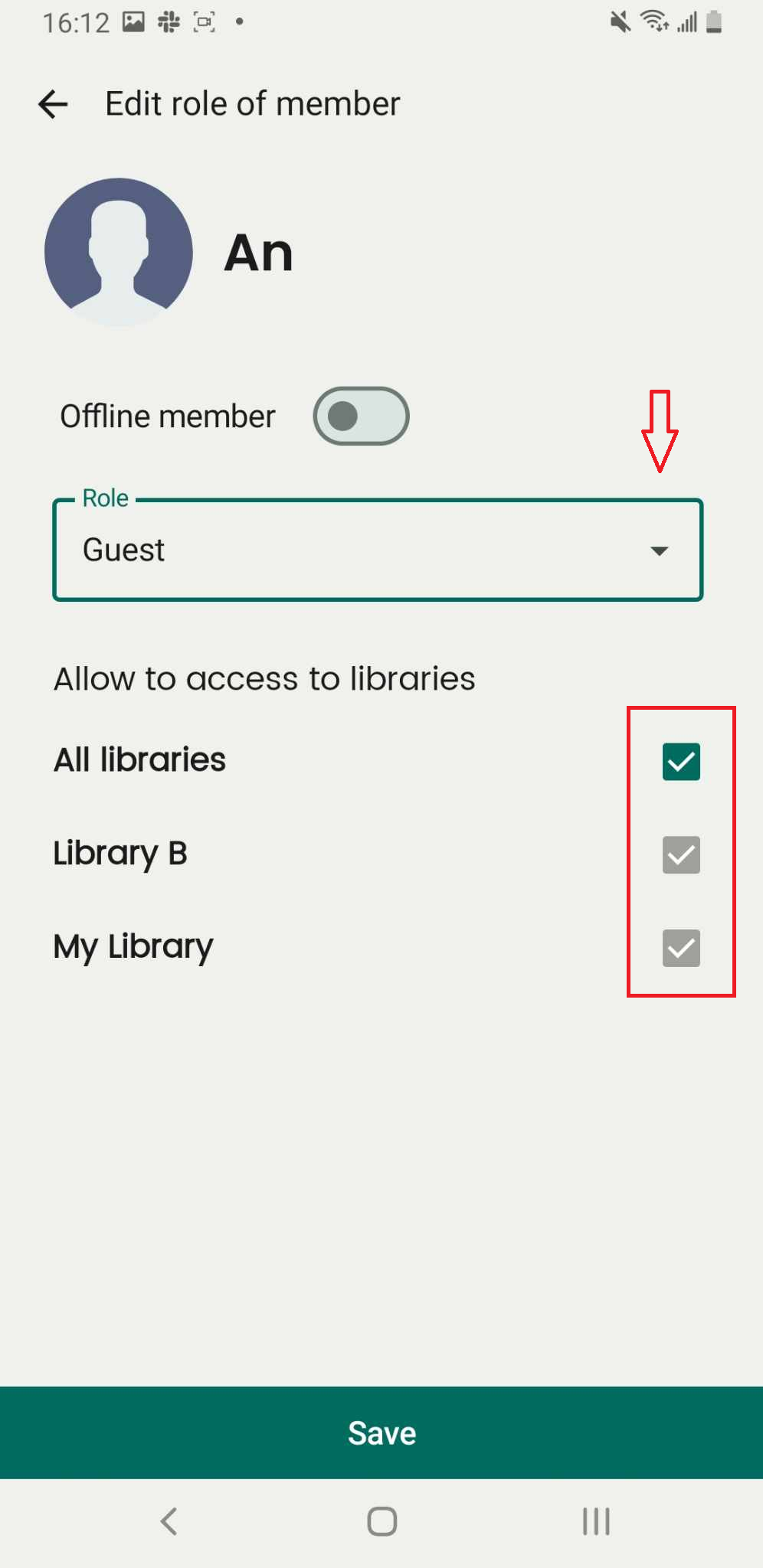
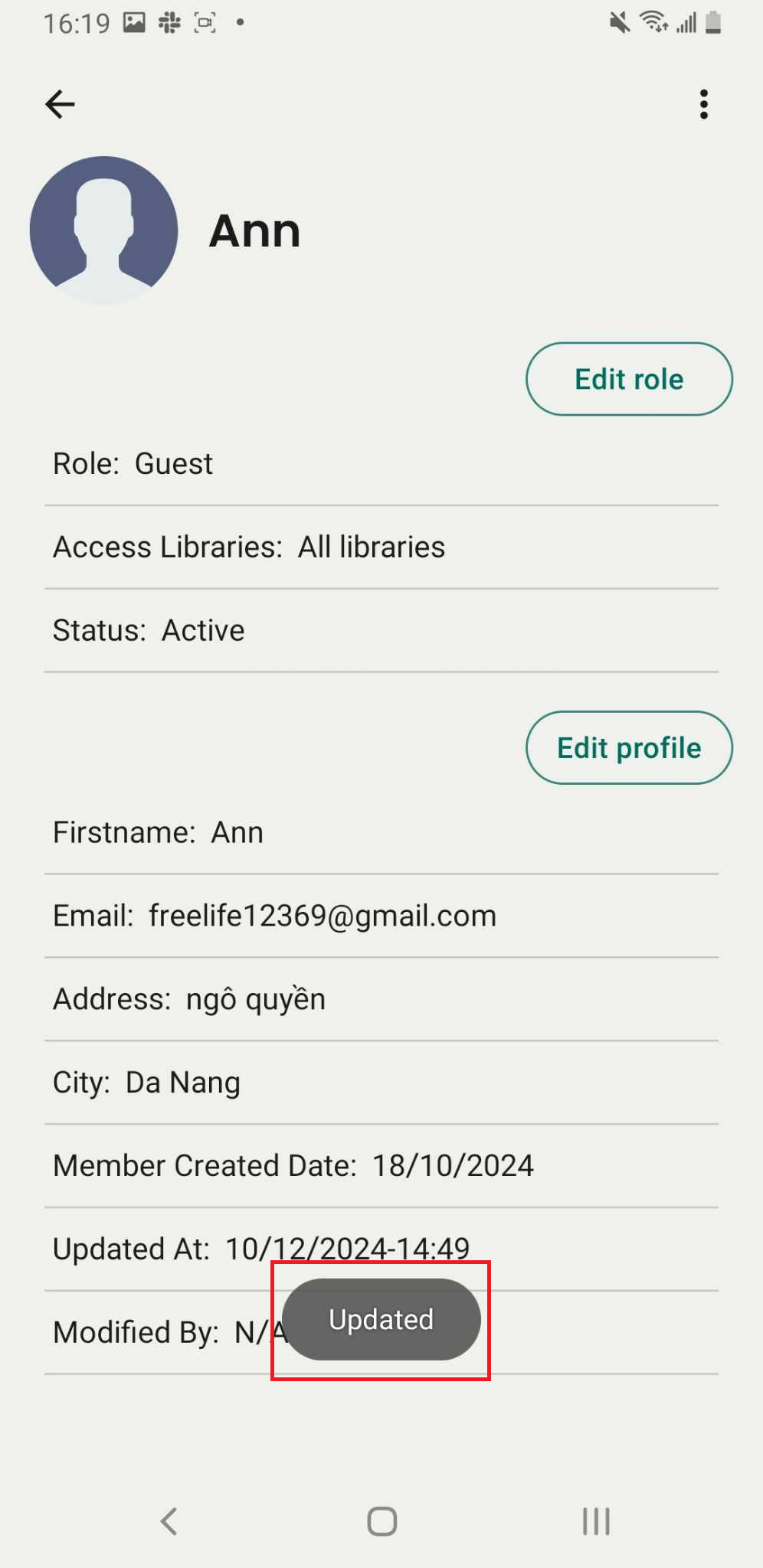
Edit role of member
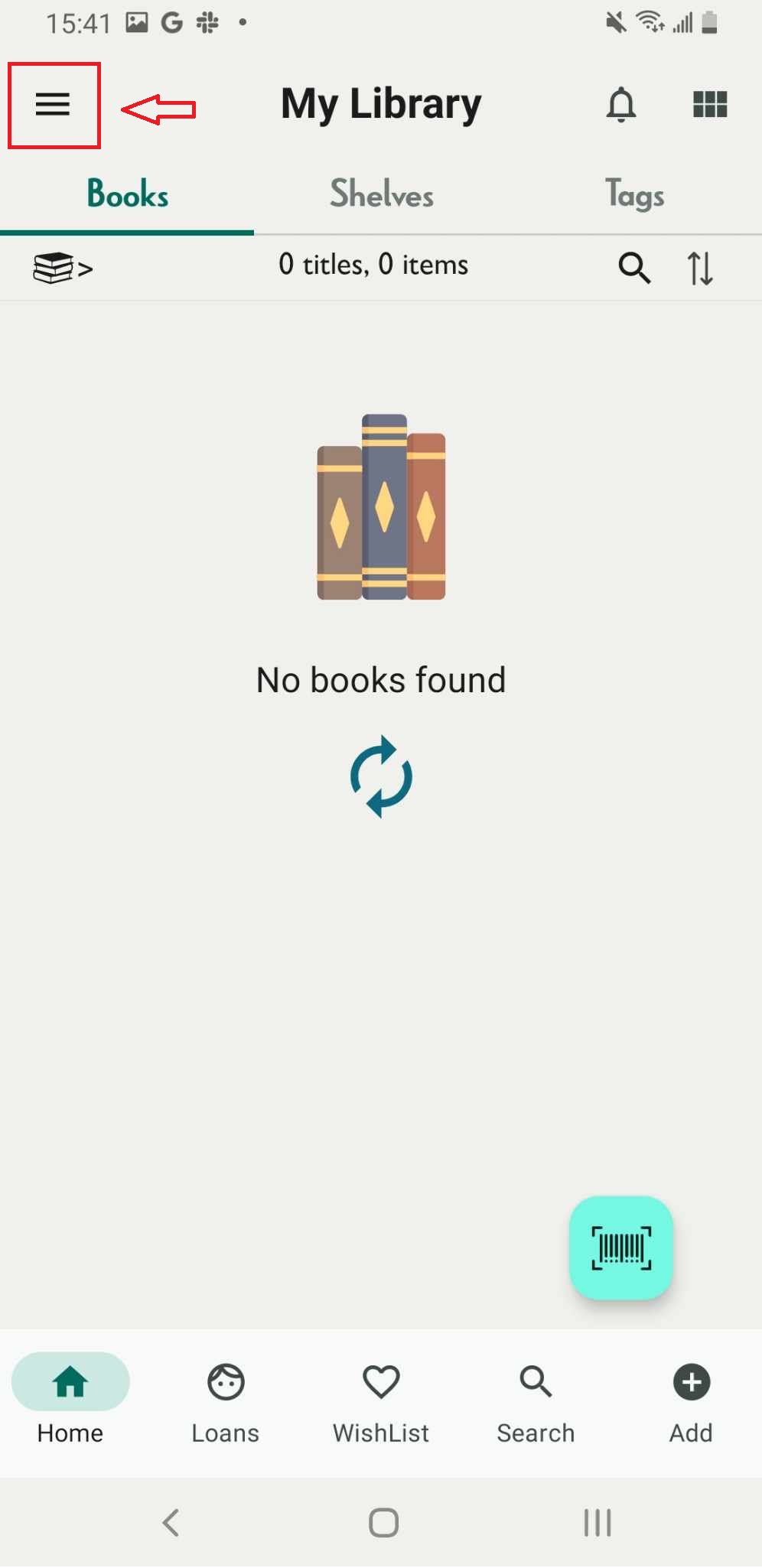
Step 1: Tap on the three-line icon
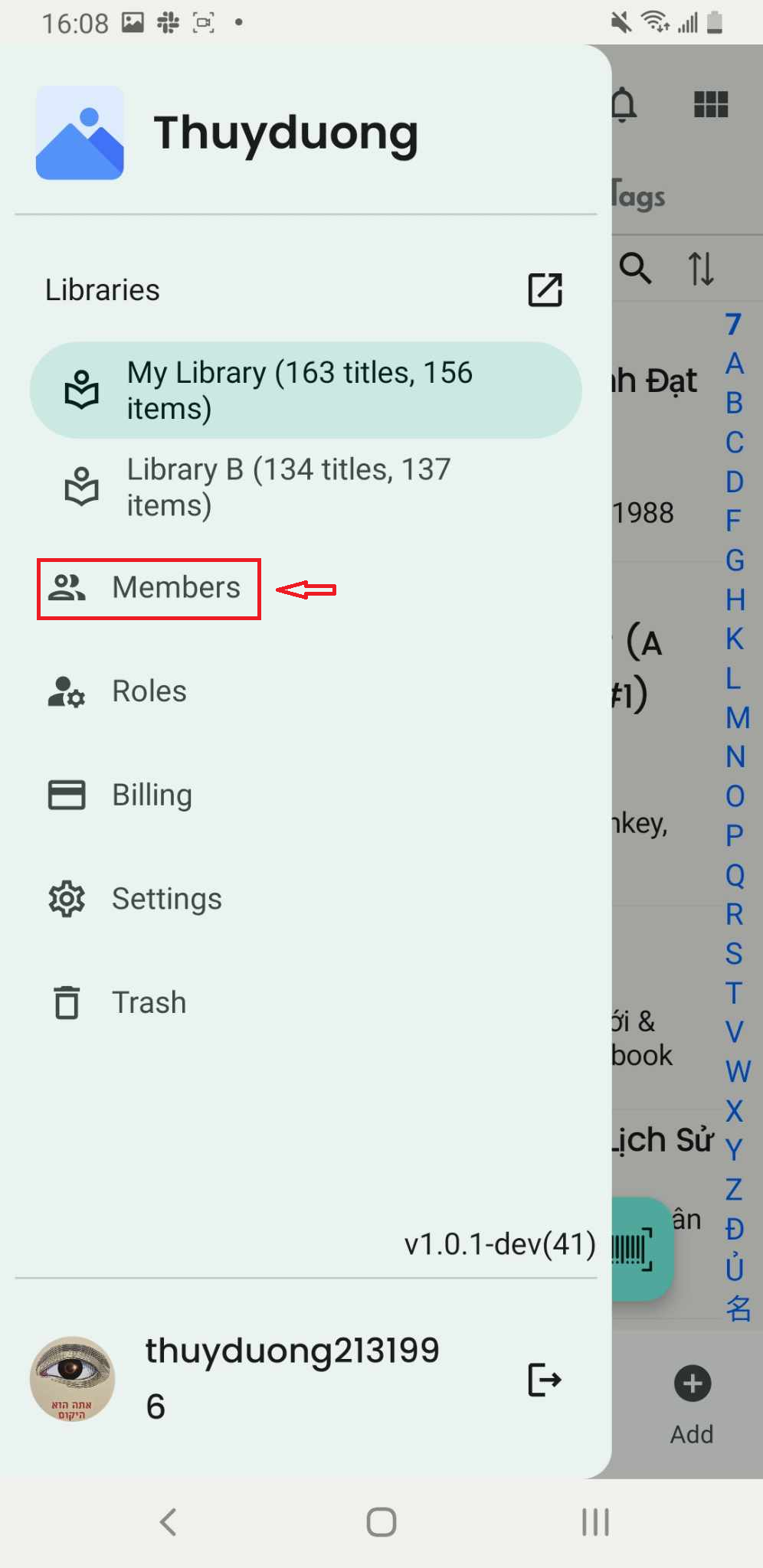
Step 2: Press Member
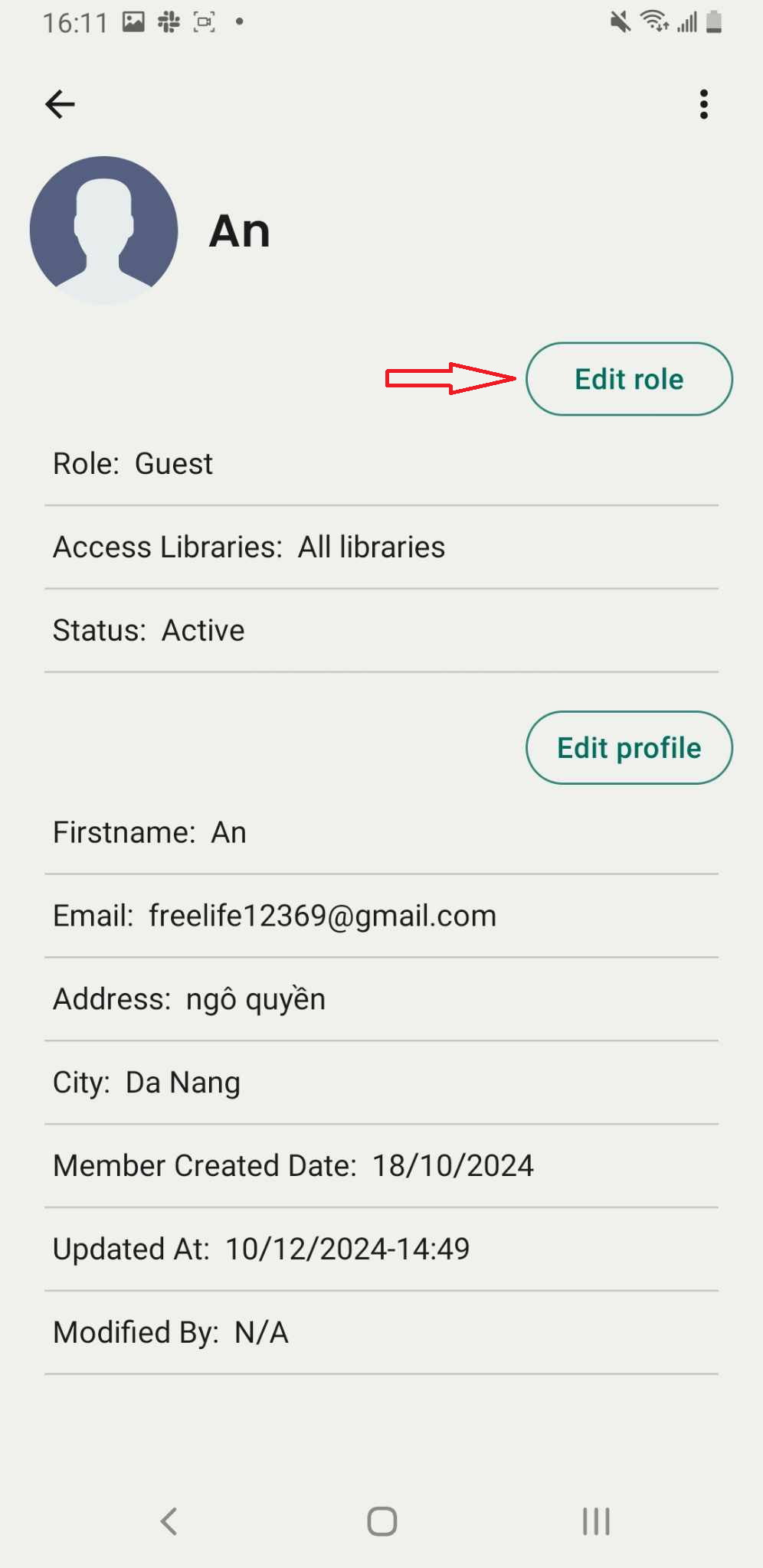
Step 3: Select a member from the list. The screen will display the member’s information.
Press the Edit Role button to modify their role.
Step 4: Change role or allow member to access to libraries